home page
open firmware is a forth machine that happens to be a wonderful standard for what a firmware can be!
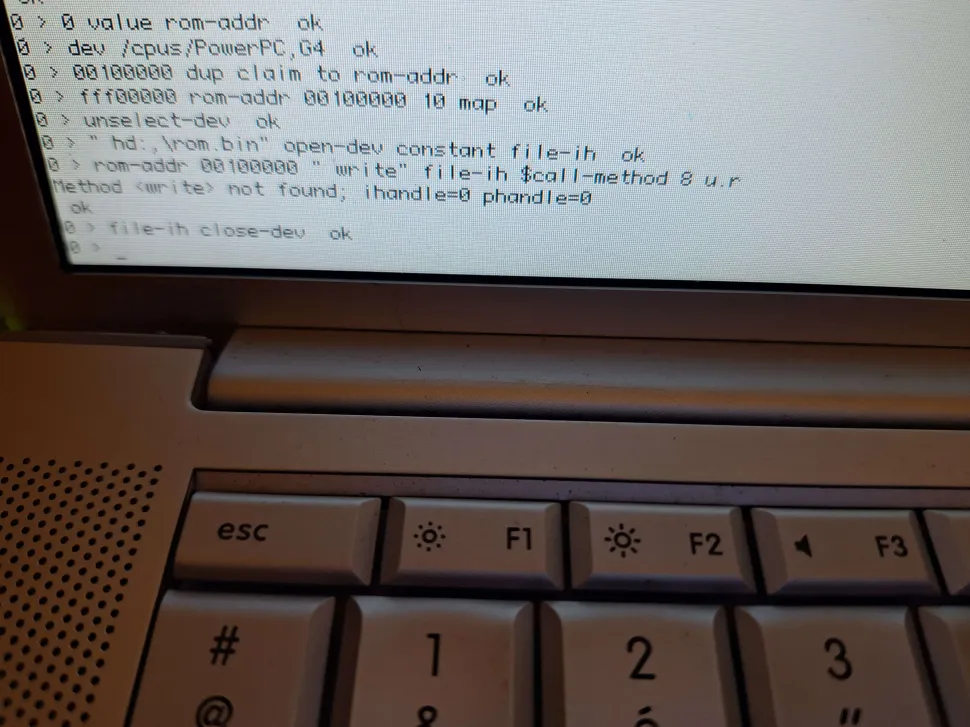
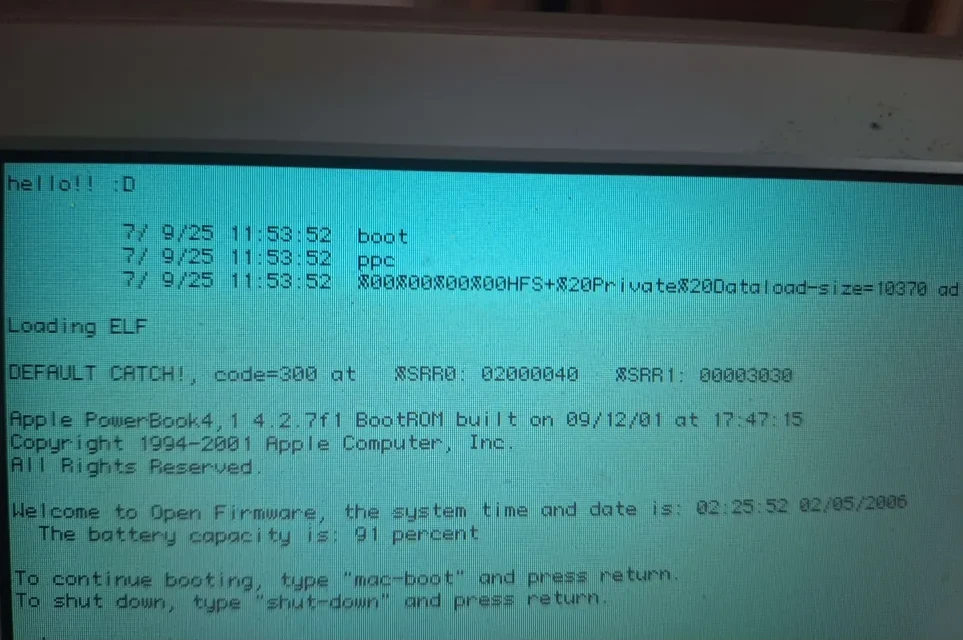 i discovered it because of my passion for powerpc macintoshes, in which there is an implementation for it. in this page i will list a few notes i find useful for playing with powermacs' implementation of open firmware (and more general ones about Forth)
those notes will not talk about fundamental notions about open firmware (FCode, device tree, packages, ihandles, phandles, etc.) but will rather give practical examples of things that i found myself often doing
special thanks to DingusPPC contributors and community! (particularly DBJ314 and joevt) a lot of what i know about open firmware comes from chatting with them.
i discovered it because of my passion for powerpc macintoshes, in which there is an implementation for it. in this page i will list a few notes i find useful for playing with powermacs' implementation of open firmware (and more general ones about Forth)
those notes will not talk about fundamental notions about open firmware (FCode, device tree, packages, ihandles, phandles, etc.) but will rather give practical examples of things that i found myself often doing
special thanks to DingusPPC contributors and community! (particularly DBJ314 and joevt) a lot of what i know about open firmware comes from chatting with them.
first, some cool resources:
interact with open firmware via telnet
you can connect to open firmware through telnet via a distant machine
" enet:telnet,192.168.x.x" io
replace 192.168.x.x by what fits (it's the address the mac will use). the screen will then go dark, waiting for a telnet connection
booting from an APM partition
it's possible to load an ELF file, or to load a Forth script.
boot usb0/disk@1:,\ppc\boot.elf
list the devices with dev / ls
loading a Forth file
here is how i structure the forth files that i load:
<CHRP-BOOT>
<COMPATIBLE>MacRisc MacRisc3 MacRisc4</COMPATIBLE>
<BOOT-SCRIPT>
(my forth code)
</BOOT-SCRIPT></CHRP-BOOT>
`insert 0x04 byte here`
<COMPATIBLE>MacRisc MacRisc3 MacRisc4</COMPATIBLE>
<BOOT-SCRIPT>
(my forth code)
</BOOT-SCRIPT></CHRP-BOOT>
`insert 0x04 byte here`
At the very end, an ASCII EOT character (0x04 byte) is expected by the XML parser
Note that the XML parser recognizes these substitutions:
<
>
&
"
&full-path; &device; &partition; &filename;
&full-path; &device; &partition; &filename;
reading from disk
this will try to open the file/home/aramya/hello.txt on partition 2 of USB disk:
" usb1/disk:2,\home\aramya\hello.txt" open-dev
(omit what's right of , and it will try to open parition 2 as raw, omit what's right to :2 and it will try to open the whole disk as raw)
then, feel free to dump len bytes from it to addr with read ( addr len -- actual ). it returns the number of bytes actually read, and 0 or negative value if the operation failed. don't forget to close-dev.
calling ofw methods in an absolute way
the available methods that are part of the currently selected device package (that you list withwords) are callable in an absolute way with $call-method. Example:
" claim" " /memory" open-dev $call-method
it will execute the method claim relative to the memory node
some methods are not directly callable because they are defined headerless. one needs to figure where they are in the ROM. here is an example of a headerless word known to be 0x710 bytes before open being called
define methods in machine code
open firmware provides thecode end-code blocks to define procedures at machine code level.
those blocks do not enter compilation mode, unlike
: ; blocks. code func1 creates a header for func1 in the dictionary and moves forward the dictionary pointer, end-code marks it as valid (you can also use c; to append a blr right before marking it as such)
while we are still manipulating the chunk of the dictionary of which the header will be marked as valid later, one can use
, to append data to the dictionary and move the pointer forward. that is how you manage to write whatever binary data you want to be executed when the procedure then gets called.
code asm-enable-interrupts
  7C6000A6 , \ mfmsr r3
  60638000 , \ ori r3, r3, 0x8000
  7C600124 , \ mtmsr r3
  4C00012C , \ isync
c;
one can also dynamically generate code, defining an empty
code end-code block that would get filled later.
code asm-set-brpn 8 allot end-code
: compile-asm-set-brpn ( n -- )
    3C840000 or \ addis r4, r4, n
    ['] asm-set-brpn 0 + l!
    4E800020 \ blr
    ['] asm-set-brpn 4 + l!
;
change the forth data stack
this implementation of open firmware stores the data stack pointer at registerr31, and the top element of the stack is not stored on the stack but on register r20.
claim, release, map memory
claim works differently depending on the selected device. it serves to allocate physical memory on /memory, virtual addresses on /cpus/@0.
i quote IEEE 1275-1994 on its prototype and description:
( [ addr ... ] size ... align -- base ... )
Allocates
size ... (whose format depends on the package) bytes of the addressable resource managed by the package containing this method. If
align is zero, the allocated range begins at the address addr ... (whose format depends on the package). Otherwise, addr ... is not present, and an aligned address is automatically chosen.
The alignment boundary is the smallest power of two greater than or equal to the value of
align; an align value of 1 signifies one-byte alignment. base ... (whose format is the same as addr ...) is the address that was allocated (equal to addr ... if align was 0).
addr while allocating virtual memory. otherwise, it will pick one for you, which is going to be returned as base. it's then possible to map physical addresses to virtual ones using map (provided in /cpus/@0, on which i also quote the standard):
map ( phys.lo ... phys.hi virt len ... mode -- )
Creates an address translation associating virtual addresses beginning at
virt and continuing for len ... (whose format depends on the package) bytes with consecutive physical addresses beginning at phys.lo ... phys.hi.
mode is an MMU-dependent parameter (typically, but not necessarily, one cell) denoting additional attributes of the translation, for example access permissions, cacheability, mapping granularity, etc. If mode is –1, an implementation-dependent default mode is used.
If there are already existing address translations within the region delimited by
virt and len ..., the result is undefined
mode, in this particular implementation, refers to a bitarray of the following form: WIMG0PP.